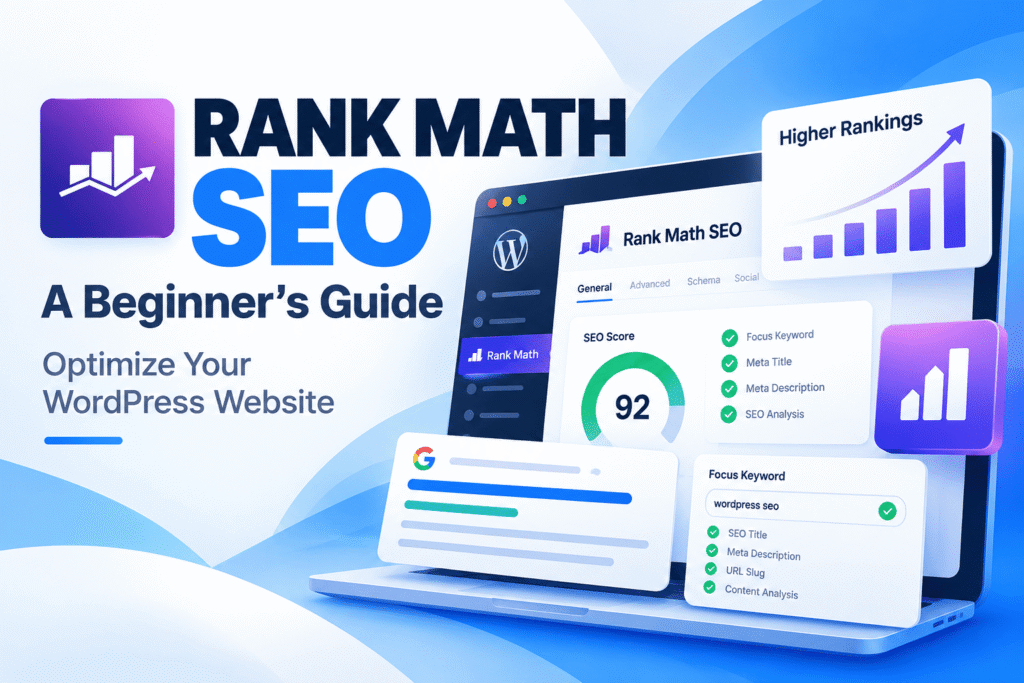
Rank Math SEO is a WordPress plugin that helps you manage SEO titles, meta descriptions, XML sitemaps, schema markup, redirects, and content optimization. Beginners can start with its setup wizard and free features, then add advanced tools only when needed. It helps with technical SEO, but it cannot guarantee higher rankings by itself.
If you’re building a WordPress website, publishing blog posts, or managing a business site, search engine optimization can feel complicated at first. You need to think about page titles, keywords, search previews, indexing, internal links, and structured data.
Rank Math SEO brings many of these tasks into your WordPress dashboard. This guide explains how it works, which features matter most, how to configure the essentials, and what to know about its newer features.
In This Guide
1. What Is Rank Math SEO?
Rank Math is a search engine optimization plugin for WordPress. It gives you controls for important on-page and technical SEO tasks without requiring you to manually write every SEO-related tag or configuration.
For example, you can set a search title and meta description for a blog post, choose a suitable schema type, review basic content optimization suggestions, manage redirects, and create an XML sitemap.
The plugin is listed in the official WordPress Plugin Directory. At the time of research for this article, the listing showed more than four million active installations and version 1.0.280 for the free plugin.
Important: An SEO plugin helps you implement SEO settings. It does not replace useful content, good website structure, relevant backlinks, a good user experience, or ongoing performance monitoring.
2. Key Rank Math Features
On-Page SEO
Edit SEO titles, meta descriptions, focus keywords, and other search appearance settings for individual posts and pages.
Content Analysis
Review optimization suggestions related to keywords, headings, links, content, and other on-page elements.
XML Sitemaps
Generate sitemaps that help search engines discover eligible website URLs.
Schema Markup
Add structured data to help search engines understand content such as articles, products, recipes, and local businesses.
Redirects and 404 Monitoring
Depending on the enabled features and plan, manage URL redirects and identify broken or missing pages.
Search Performance
Connect supported Google services to review available search and website analytics information inside WordPress.
Rank Math also offers paid products and add-ons for expanded schema controls, internal-link workflows, Content AI, and AI Visibility. Availability varies by product, plan, and account configuration. Check the official Rank Math website before purchasing a feature.
3. Rank Math Free vs. PRO
The free plugin is a practical starting point for many bloggers and small websites. PRO may be worthwhile if you need advanced workflows or features that are not included in your current free setup.
| Capability | Free | Paid options |
|---|---|---|
| SEO titles and meta descriptions | Yes | Yes |
| XML sitemap basics | Yes | Yes |
| Content analysis | Yes | Expanded workflows may be available |
| Schema markup | Core schema features | Advanced schema features, depending on plan |
| Search analytics integrations | Core supported integrations | Additional analytics and tracking features may be available |
| AI-assisted content tools | Limited or account-based access may be available | Plan, credit, and feature limits apply |
| Advanced internal linking | Basic linking and suggestions where supported | AI Link Genius and related paid capabilities |
This is a general guide, not a complete feature-by-feature entitlement list. Rank Math’s product lineup and plan limits can change, so confirm current details on its official pricing page.
4. How to Install Rank Math SEO
Open your WordPress dashboard
Go to Plugins → Add New Plugin. Search for “Rank Math SEO” and verify that the plugin is published by Rank Math SEO.
Install and activate
Click Install Now, then Activate. Use the official WordPress plugin listing if you want to verify the package.
Run the setup wizard
Follow the wizard to configure your website type, basic SEO settings, and available integrations. The exact screens may differ by plugin version and account setup.
Import settings only when appropriate
If you are switching from another SEO plugin, review the import options carefully. Back up your website first and check titles, descriptions, schema, redirects, and sitemap output after migration.
Avoid duplicate SEO plugins. Two plugins generating the same metadata, schema, or sitemap can cause conflicting output. If migrating, plan the switch instead of running both plugins’ overlapping features indefinitely.
5. Essential Settings for Beginners
A. Configure your website details
Choose the correct site type and organization or person information where requested. Keep your site name, logo, and business details consistent with your actual website and branding.
B. Review titles and meta descriptions
Use descriptive titles that tell readers what a page covers. Write a unique meta description for important pages that summarizes the value of the content. Search engines may generate a different title link or snippet based on the query and page.
C. Check your sitemap
Open Rank Math’s sitemap settings and verify that the appropriate post types are included. Avoid intentionally submitting thin, private, duplicate, or non-indexable URLs as if they were important landing pages.
D. Connect Google Search Console
Where supported, connect the correct property and confirm that your website’s canonical URLs are being monitored. Search Console can help you review indexing and search performance; it does not guarantee that every submitted URL will be indexed.
E. Review indexing controls
Check your WordPress reading settings and Rank Math robots settings. Important public pages should generally be indexable, while private or intentionally excluded pages should be handled deliberately. Do not apply noindex sitewide by accident.
F. Enable only the modules you need
Rank Math has a modular design. Review the available modules and activate the ones that support your workflow. Avoid changing unfamiliar advanced settings without understanding their effect on your pages.
6. How to Optimize a Blog Post with Rank Math
Use this process for a new article or when updating an existing post.
Choose a clear search intent
Understand what a reader wants to learn or accomplish. A tutorial, comparison, product page, and troubleshooting article serve different needs even if they share related keywords.
Set one primary focus keyword
Use a phrase that accurately describes the page’s main topic. Related terms can appear naturally when they help explain the subject. Avoid repeating keywords unnaturally just to increase a score.
Write a useful SEO title and meta description
Make the title specific and readable. The description should explain the article’s benefit without promising something the content does not deliver.
Organize the article with headings
Use a logical H2 and H3 hierarchy. Answer the main question early, then add examples, steps, tables, and troubleshooting details where they help the reader.
Add useful links and images
Link to relevant pages on your own website and authoritative external sources. Give informative images descriptive alt text, and optimize image dimensions and file sizes.
Review the recommendations
Use Rank Math’s content analysis as a checklist, not a ranking guarantee. Fix meaningful problems first, preview the page on mobile, and verify that the finished article is genuinely helpful.
Remember: A green SEO score is not proof that a page will rank. Search visibility depends on many factors, including relevance, content quality, competition, technical accessibility, and how search engines interpret the page.
7. Schema Markup and XML Sitemaps
What is schema markup?
Schema markup is structured data that describes a page or entity in a machine-readable format. Depending on the content, appropriate types can include Article, Product, Recipe, Event, or Local Business.
Choose a schema type that matches the visible content. Check the generated output and validate it with relevant testing tools. Adding structured data does not guarantee a rich result, and not every schema type produces a special search appearance.
For an ordinary editorial blog post, Article schema is usually a sensible starting point. Keep the headline, author, publication dates, and primary image accurate. See the official Rank Math Article Schema guide.
What does an XML sitemap do?
A sitemap lists URLs that you want search engines to discover. It supports discovery but does not force indexing or determine rankings. Make sure the sitemap uses your preferred canonical URLs and excludes content you do not want indexed.
Rank Math’s free changelog for October 6, 2026, notes that sitemaps can be pre-generated through a WP-CLI command. This is particularly relevant to larger sites where repeatedly generating sitemap files can create unnecessary work. The command is an advanced option for administrators with suitable server access; most beginners do not need to run it manually.
8. Latest Rank Math Updates: October 2026
The following details were checked against the official WordPress plugin listing and Rank Math changelog on October 13, 2026.
| Update | What it means |
|---|---|
| Version 1.0.280 October 6, 2026 | The free plugin’s listed release includes sitemap pre-generation through WP-CLI, additional security validation and output escaping, an Analytics display fix, a Polylang metadata translation fix, and an author archive database fix. |
| AI Visibility | Rank Math’s product lineup includes tools for tracking brand mentions and visibility across supported AI search experiences. Access and limits depend on the relevant plan or product. |
| AI Link Genius | Its product information describes internal-link auditing, link suggestions, and bulk link management capabilities. Check its current availability and pricing before relying on a specific feature. |
Sources for these changes: WordPress.org plugin listing and changelog, Rank Math Free changelog, and the official Rank Math Knowledge Base.
Because plugin updates can introduce new fixes and features, check the official changelog again whenever you perform a major site update. The version information above is a dated snapshot, not a claim that the same version will remain the latest indefinitely.
9. Common Rank Math SEO Mistakes to Avoid
- Chasing a perfect score: Do not sacrifice clarity or usefulness just to satisfy every automated recommendation.
- Keyword stuffing: Write naturally and cover the topic thoroughly instead of repeating a phrase unnecessarily.
- Using the wrong schema: Structured data must accurately represent the visible page.
- Ignoring redirects: If you change a published URL, assess the need for a relevant permanent redirect and update internal links.
- Duplicating SEO functions: Check for overlapping sitemap, schema, canonical, and metadata output from other plugins or the theme.
- Assuming sitemap submission guarantees indexing: Search engines decide which URLs to index.
- Changing advanced settings without a backup: Back up the site and document important settings before major changes.
- Forgetting to measure results: Review Search Console and analytics data over time rather than judging success from a single SEO score.
10. A Simple Rank Math Checklist
- Install and configure the plugin.
- Confirm the correct website identity and canonical URL setup.
- Review titles and meta descriptions for important pages.
- Check the XML sitemap and indexing settings.
- Use appropriate schema for each content type.
- Review internal links and fix important broken URLs.
- Connect and verify the appropriate search analytics tools.
- Test important pages on desktop and mobile.
- Back up the site before major plugin or SEO configuration changes.
- Monitor actual search performance and update content when needed.
Frequently Asked Questions
Is Rank Math SEO free?
Yes. Rank Math offers a free WordPress plugin. Paid products and plans provide additional capabilities, and their exact features and limits can change.
Is Rank Math good for beginners?
It can be a useful option for beginners because the setup wizard and in-editor controls make many SEO tasks accessible from WordPress. Some advanced settings still require care.
Does Rank Math guarantee first-page rankings?
No. An SEO plugin can help you implement optimization settings, but it cannot guarantee indexing, a particular ranking, or a specific amount of traffic.
Can I switch from Yoast SEO to Rank Math?
Rank Math provides import tools for supported SEO plugins. Back up your website, review imported settings, and check metadata, canonical tags, redirects, schema, and sitemap output after switching.
Do I need Rank Math PRO?
Not necessarily. Start with the free version and identify a specific feature or workflow you need before upgrading. Check the current plan details to confirm that the feature is included.
Will Rank Math automatically get my pages indexed?
No. Sitemaps and SEO settings can help search engines discover and understand URLs, but indexing remains a search engine decision. Use Search Console to investigate indexing issues.
How often should I update Rank Math?
Review plugin updates regularly and read relevant changelog notes. Before major updates, make a backup and test important pages and SEO output afterward.
Want to Improve Your WordPress SEO?
Start with the basics: publish helpful content, organize your website clearly, configure your SEO settings correctly, and monitor what visitors find through search.
Explore Official Rank Math Guides →Disclaimer: This article is an independent educational guide and is not sponsored by or officially affiliated with Rank Math. Product features and availability may change. Always refer to official documentation for the latest information.