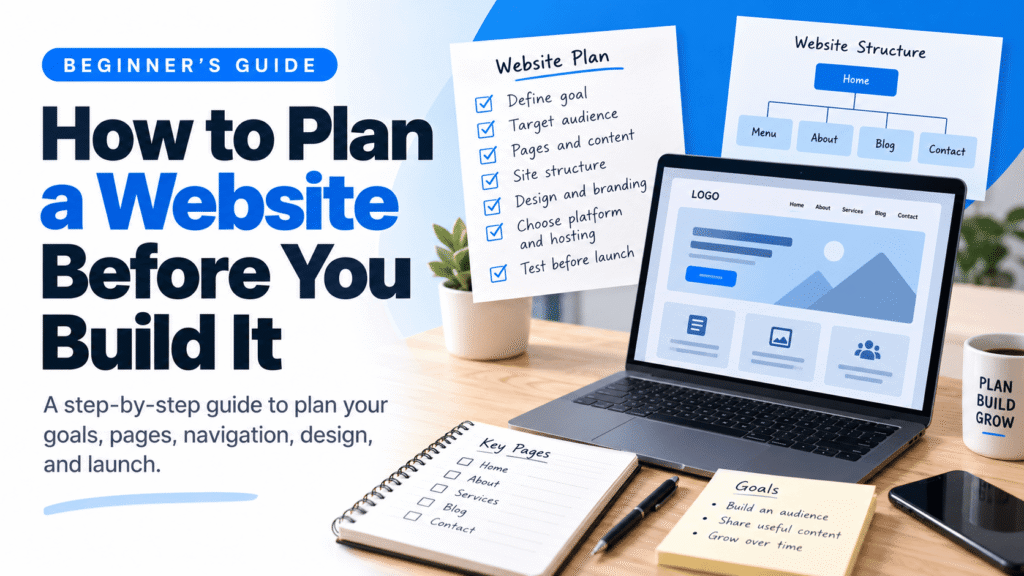
How to Plan a Website Before You Build It
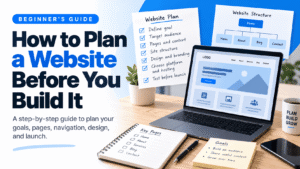
Planning your website before you build it can save time, reduce unnecessary expenses, and make your content easier to organize. Follow this beginner-friendly guide to plan your website goals, pages, navigation, design, and launch.
A practical planning guide for beginners, creators, and small business owners.
Quick Answer: Plan Your Website in 8 Steps
- Define your website’s main goal.
- Identify the audience you want to reach.
- Decide what visitors should do on the site.
- List the pages and content you need.
- Organize pages into a simple site structure.
- Plan navigation, branding, and mobile layouts.
- Choose a platform and hosting that fit your needs and budget.
- Review the plan and test the website before launch.
You do not need to know how to code to plan a website. A notebook, document, or simple spreadsheet is enough to get started. The goal is to make important decisions before you spend time building pages or buying tools.
1. Decide What Your Website Is For
Start with one clear question: What should this website help me achieve? Your answer influences the pages you need, the content you create, the platform you choose, and the actions visitors should take.
| Website type | Primary goal | Possible visitor action |
|---|---|---|
| Blog or content website | Publish useful articles and build an audience | Read articles, subscribe, or explore related posts |
| Small business website | Explain services and generate enquiries | Call, request a quote, or book an appointment |
| Portfolio | Show work, experience, and skills | View projects or contact the creator |
| Online store | Sell physical or digital products | Browse products and complete checkout |
| Educational website | Share learning resources or courses | Download resources, study, or enrol |
| Membership website | Provide gated content or member services | Register, subscribe, or access member content |
For example, if you are planning a website for a coffee shop, your first goal might be to help local customers find the menu, opening hours, location, and contact details. Online ordering can be added if it supports the business and budget.
2. Identify Your Target Audience
A website should be planned around the people who will use it—not only around what the owner wants to publish. Think about your visitors’ needs, questions, experience level, and the devices they are likely to use.
Create a simple audience profile by answering these questions:
- Who is the website mainly for?
- What problem or question brings them to the site?
- What information do they need before taking action?
- Are they beginners, experienced users, customers, or professionals?
- Will they likely visit on a phone, tablet, or desktop?
For a coffee shop, the audience might include nearby residents, office workers, and visitors looking for a place to meet. These people may need clear directions, opening hours, prices, and menu details more than a long company history.
If you have not decided what subject your website will focus on, start with our guide How to Choose a Website Niche: A Beginner’s Guide. It explains how to evaluate audience needs, topic demand, competition, content ideas, and monetization before committing to a niche.
3. Decide Which Pages You Need
Make a list of pages that directly support your goal and help visitors find what they need. You do not have to publish every possible page on day one.
| Page | What it does | Often useful for |
|---|---|---|
| Home | Explains what the site offers and guides visitors to key areas | Most websites |
| About | Introduces the business, creator, or organization | Businesses, blogs, portfolios, nonprofits |
| Contact | Provides a way to ask questions or get in touch | Businesses, service providers, creators |
| Blog or Resources | Organizes articles, guides, tutorials, and helpful material | Content sites and businesses using content marketing |
| Services | Explains service options, process, and enquiry steps | Consultants and service businesses |
| Products or Shop | Displays products, prices, and purchasing options | Ecommerce websites |
| FAQ | Answers recurring questions | Websites with common customer or reader questions |
| Privacy and legal pages | Explains relevant privacy practices, terms, or policies | Depends on location, audience, features, and legal obligations |
Choose pages based on your actual purpose. A portfolio may need Projects and Contact, while an online store may need product categories, shipping information, returns, and customer support. Legal requirements vary by jurisdiction and by the data or services your website uses, so do not treat one generic policy as suitable for every site.
4. Create a Simple Website Structure
A website structure—or planning sitemap—is a map showing how the pages relate to one another. It helps you decide what belongs in the main navigation and which pages should sit under a broader section.
Here is a simple structure for a coffee shop website:
A content website might use a broader hierarchy:
- Home
- Website Building
- Website Planning
- Domains and Hosting
- Website Design
- WordPress
- WordPress Basics
- Themes and Plugins
- Maintenance
- Resources
- About and Contact
Keep the structure simple. Most visitors should be able to understand where to go without opening a long chain of nested menus.
5. Plan Your Navigation Menu
Your navigation should help visitors find important pages quickly. It is not meant to display every page on the website.
A simple coffee shop menu might be:
Home · Menu · Location & Hours · About · Contact
A beginner-friendly educational website might use:
Home · Start Here · Tutorials · Resources · About
Before deciding on menu labels:
- Put the most important destinations where visitors can find them easily.
- Use familiar, descriptive labels instead of clever wording that hides the meaning.
- Group related pages under a clear parent section when necessary.
- Check that the menu is easy to use on a phone as well as a desktop.
- Use footer links for useful secondary destinations that do not need to be in the main menu.
If you use WordPress, menu-editing steps depend on your theme. Classic themes commonly use the menu settings in the dashboard, while block themes may use the Site Editor and Navigation block. Follow the instructions for your theme in the official WordPress menu guide.
6. Plan the Content for Each Page
Knowing a page’s name is not enough. Decide what information it should contain and what the visitor should do next.
For example, plan a homepage in sections before designing it:
| Homepage section | What to prepare |
|---|---|
| Hero section | A clear headline, a short explanation, and a primary call to action |
| Introduction | A concise description of the business, website, or offer |
| Main offer or categories | Key products, services, topics, or learning resources |
| Benefits or proof | Relevant features, credentials, testimonials, or examples you can substantiate |
| Supporting content | Helpful articles, FAQs, popular resources, or useful details |
| Call to action | The next step you want visitors to take |
| Footer | Contact information and relevant secondary links or policies |
For a coffee shop, the hero might tell visitors the shop’s name and location, with buttons for viewing the menu and getting directions. For a tutorial website, the hero might explain who the guides are for and direct new readers to a Start Here page.
For each page, answer these four questions:
- What is this page for?
- What does the visitor need to know?
- What content, images, or features are required?
- What should the visitor do next?
7. Plan Your Design and Branding
You do not need to finalize every visual detail before building, but a few basic decisions will make your site more consistent and easier to maintain.
- Logo: Decide whether you need a wordmark, symbol, or both.
- Colors: Choose a small palette with readable contrast.
- Typography: Use readable fonts and a consistent hierarchy for headings and body text.
- Layout: Plan how sections, cards, images, and text will be arranged.
- Imagery: Use relevant, appropriately sized images that support the content.
- Accessibility: Make links, forms, buttons, and headings understandable and usable.
A practical starting point is one primary color, one supporting color, a neutral background, and a dark text color. Use color to establish hierarchy—not as the only way to communicate meaning.
For more guidance, review the W3C’s recommendations for designing for web accessibility.
8. Plan for Mobile Responsiveness from the Start
Do not treat mobile design as a final adjustment after the desktop version is finished. Plan layouts that can adapt to narrow screens from the beginning.
- Make sure navigation can be opened and used on touch screens.
- Use readable headings and comfortable text spacing.
- Let images resize within their containers without distortion.
- Stack multi-column sections when there is not enough room.
- Make buttons and links easy to tap.
- Keep forms usable and label their fields clearly.
- Prevent tables, cards, and long URLs from causing horizontal overflow.
- Check the published page on phone-sized and tablet-sized viewports.
For example, a desktop layout might show three service cards side by side. On a phone, those cards can stack vertically. A wide comparison table might become a series of labeled cards so readers can understand each item without sideways scrolling.
9. Choose a Website Platform and Hosting That Fit Your Plan
Choose the platform after you understand your goals, content, and required features. A simple informational website may not need the same tools as a store with inventory, shipping, and online payments.
| Platform type | May suit | Consider before choosing |
|---|---|---|
| WordPress | Blogs, business sites, content libraries, and many ecommerce setups | Hosting, updates, backups, plugins, security, and maintenance |
| Hosted website builder | Beginners who prefer an integrated editing and hosting service | Subscription costs, feature limits, export options, and flexibility |
| Ecommerce platform | Businesses focused on selling products online | Transaction and subscription costs, payment availability, shipping, and extensions |
| Custom-built website | Projects with specialized workflows or technical requirements | Development budget, maintenance, hosting, ownership, and updates |
If you choose self-hosted WordPress, you will generally need a domain name and a hosting service. Compare storage, performance, renewal pricing, backups, support, email options, and the features included in each plan before you buy.
Suggested Hosting Option: Hostinger
Hostinger is one option worth considering if you are planning to build a WordPress website. Review the items already selected in this cart, including the hosting plan, email, and Reach product, and confirm the current pricing and terms before checkout.
View Hostinger Hosting BundleThis is a referral link. The Blue Anchors may receive a commission if you purchase through it, at no additional cost to you where applicable. Product availability, pricing, and terms may change. Check the cart details before completing your order.
Before purchasing hosting, list the features you actually need for launch and the ones that can wait. Compare the total cost and responsibilities—not only the initial price.
10. Plan Your Content Categories and Internal Links
If your website will publish articles, tutorials, or resources, organize them into a few clear categories. This gives readers a predictable way to browse and helps you plan related content.
For a website-building resource site, possible categories include:
- Website Planning
- WordPress Basics
- Themes and Design
- Plugins and Tools
- Website Maintenance
- Ecommerce
Next, plan internal links between pages that naturally help readers take the next step. For example, an article about choosing a niche can link to a guide about planning the website, and a planning guide can link back to the niche article for readers who have not settled on a topic yet.
Internal links should be useful and descriptive. Avoid adding links just to repeat a keyword or sending readers to pages that do not support the topic they are reading.
11. Prepare Your Content and Website Assets
Before you start building, gather the content and materials that your plan calls for. You do not need every future article or product ready, but you should know what is needed for the first version of the site.
Website Planning Checklist
Use this checklist to track your preparation. Your selections stay in this page while it remains open; this checklist does not submit or save your information to a server.
12. Estimate Your Budget Before Buying Tools
Your plan should include both setup costs and ongoing expenses. The actual amount depends on the platform, the features you need, the services you choose, and whether you build the site yourself or hire help.
| Cost area | What to consider |
|---|---|
| Domain | Registration, renewal, and any premium domain cost |
| Hosting or platform | Monthly or annual plan, storage, bandwidth, and included features |
| Theme and design | Free or paid theme, templates, branding, and any design support |
| Plugins or add-ons | Required functionality, recurring licences, and compatibility |
| Images and content | Original photography, licensed assets, writing, and editing |
| Email and forms | Business email, form delivery, mailing lists, or customer support tools |
| Ecommerce | Payment processing, shipping, taxes, product tools, and transaction fees |
| Maintenance | Updates, backups, security, renewals, and technical assistance |
Separate essential launch expenses from optional upgrades. Start with the smallest reliable setup that meets your goals, then add tools when there is a clear need.
13. Create a Pre-Launch Review
Before publishing, review the plan as if you were a first-time visitor. Check that the website answers the audience’s main questions and that the next step is obvious.
- Content: Are key pages complete, accurate, and easy to understand?
- Navigation: Can visitors find the most important information?
- Links: Do internal links and buttons lead to the intended destinations?
- Responsive layout: Do pages work on desktop, tablet, and narrow mobile screens?
- Images: Do they load, fit their containers, and have appropriate alternative text when needed?
- Forms and actions: Can visitors submit forms or complete the main task?
- Trust and privacy: Are contact details and relevant policies available where needed?
- Search basics: Are page titles, descriptive URLs, and useful page content in place?
Ask another person to try the site’s main task without coaching. Their questions and mistakes can reveal unclear labels, missing information, or confusing navigation.
14. Common Website Planning Mistakes to Avoid
Designing before defining the goal
A beautiful layout cannot compensate for unclear purpose. Decide what the site must achieve before choosing visual effects or templates.
Creating too many pages too soon
Every page requires useful content and maintenance. Start with the pages that directly support your primary goal.
Putting everything in the main menu
A crowded menu makes choices harder. Group related pages and keep the most important destinations easy to identify.
Leaving mobile responsiveness until the end
Layouts that depend on wide screens can be difficult to adapt later. Plan flexible sections, readable text, and touch-friendly controls from the beginning.
Buying tools before understanding the requirements
Unnecessary themes, plugins, and subscriptions add cost and complexity. Write down the required features first and compare options against that list.
Skipping real-world testing
A site can look fine in an editor while its published version has layout, link, or form problems. Test the live page at multiple screen sizes before launch.
Treating the plan as permanent
A website plan is a working guide, not a contract with your first idea. Update it as you learn more about your visitors and what they need.
Frequently Asked Questions
Do I need to plan a website before building it?
Yes, even a short plan helps you define the goal, audience, pages, content, and budget. It can prevent avoidable rework, though the plan can change as the project develops.
What is the first step in planning a website?
Define the website’s primary goal. Then identify the audience and the action you want visitors to take.
How many pages should a beginner website have?
There is no required number. Start with the pages needed to explain your offer, provide essential information, and help visitors take the next step. Add pages when there is a clear reason.
What is the difference between a sitemap and a navigation menu?
A planning sitemap shows the overall hierarchy and relationships between pages. A navigation menu is the set of links visitors use to move around the site. An XML sitemap is a separate technical file used to help search engines discover URLs.
Should I buy a domain and hosting before planning my website?
It is usually helpful to plan your goals, pages, and required features first. That information can help you choose an appropriate domain, platform, and hosting plan without paying for services you may not need.
Can I plan a website without knowing how to code?
Yes. You can map pages, write content outlines, choose a design direction, and estimate costs using a document or spreadsheet. Coding or website-building tools come later.
Does every website need an XML sitemap?
Not necessarily. Search engines can often discover pages through links. An XML sitemap may be helpful, especially for larger or more complex sites, but it is different from the planning sitemap you create before building.
When is my website plan ready?
Your plan is ready for the first build when you can explain the site’s goal and audience, list its launch pages, outline the navigation and content, identify required features, estimate costs, and describe how you will test it. You can refine details as you build.
Final Thoughts
Planning a website does not have to be complicated. Start with a clear purpose, understand your audience, choose only the pages you need, organize them into a simple structure, and plan how the site will work on mobile devices. Then select a platform and budget that match your actual requirements.
Once your plan is ready, your next step is to research a domain name and hosting or platform options that fit the project. Compare the available plans and recurring costs before you commit.
Recommended Next Step
Still deciding what your website should be about? Read How to Choose a Website Niche: A Beginner’s Guide to evaluate your topic, audience, demand, competition, content opportunities, and monetization options.
Ready to explore hosting? View the Hostinger hosting bundle and review the cart details before purchasing.
The Hostinger link is a referral link. A purchase may generate a commission for The Blue Anchors at no additional cost to you where applicable.
Sources and Further Reading
- WordPress.org: Create Pages — learn how pages work and how to create them.
- WordPress.com: Five-Step Website Setup — an overview of basic website setup tasks.
- WordPress.com: Create a Menu — menu guidance for WordPress sites.
- Google Search Central: Learn About Sitemaps — understand XML sitemaps and discovery.
- Google Search Central: SEO Starter Guide — guidance on helping search engines understand content.
- W3C Web Accessibility Initiative: Designing for Web Accessibility — practical accessibility considerations.