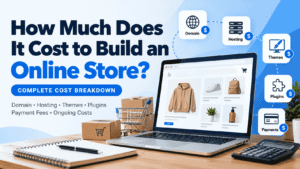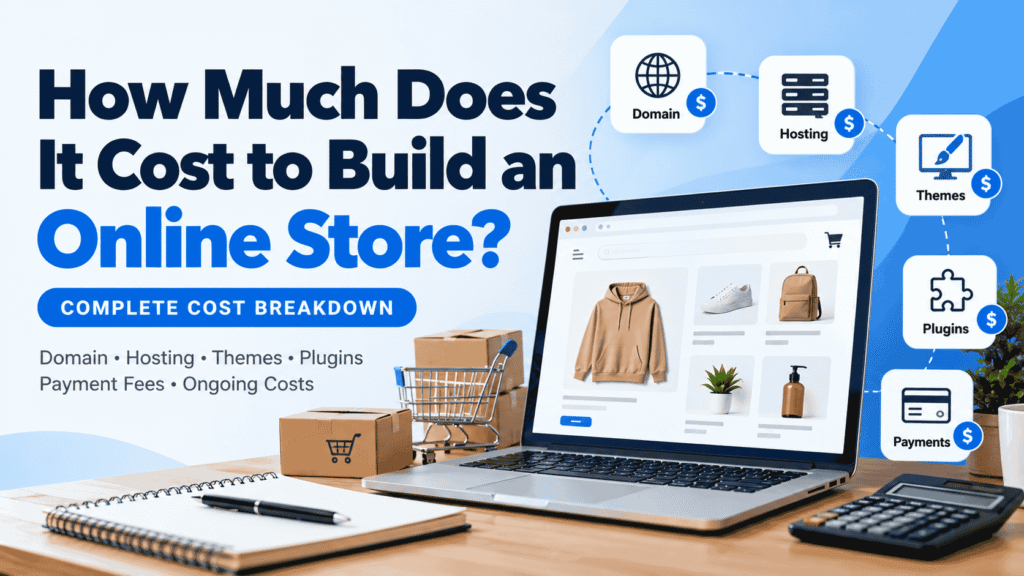
How Much Does It Cost to Build an Online Store in 2026?
Building an online store can cost a few hundred dollars or tens of thousands, depending on your platform, design, features, and the amount of work you outsource. The important thing is understanding which expenses you need before launch and which ones can wait until your business starts growing.
Whether you plan to use Shopify, WordPress with WooCommerce, or a freelancer to build your store, this guide explains the main expenses, common budget ranges, payment processing fees, and ongoing costs to include in your plan.
For a basic DIY online store, a reasonable starting budget might be $100–$800 upfront, with ongoing website expenses of around $20–$150 per month. A professionally built small-business store may cost approximately $800–$5,000, while custom ecommerce projects can exceed $20,000.
These are illustrative planning ranges in US dollars, not fixed market prices or quotes. Your actual costs depend on your country, platform, business requirements, selected services, and whether you build the store yourself.
Online Store Costs at a Glance
Use the following examples to establish an initial budget. They are intended to help you compare different approaches rather than predict the exact price of every store.
| Store Type | Illustrative Initial Budget | Illustrative Ongoing Website Costs | Best For |
|---|---|---|---|
| DIY hosted platform | $100–$600 | $30–$150/month | Beginners who want a managed setup |
| DIY WordPress + WooCommerce | $150–$800 | $20–$150/month | Owners who want more control |
| Freelancer-built small store | $800–$5,000 | $50–$300/month | Businesses needing professional setup |
| Custom or feature-rich store | $5,000–$20,000+ | $200–$1,000+/month | Complex requirements and integrations |
Budget estimates exclude inventory, product manufacturing, shipping labels, advertising campaigns, taxes, and other business-specific operating expenses unless those items are explicitly included in a service quote. Actual costs can fall outside these ranges.
1. Domain Name: Your Online Store’s Address
Your domain is the address customers type into their browsers, such as yourstore.com. A custom domain helps your store look professional and makes it easier for customers to remember your brand.
For planning purposes, a standard domain might cost around $10–$30 per year. Premium domains, certain domain extensions, and aftermarket purchases can cost considerably more. Renewal prices may also differ from introductory offers.
Before registering your domain:
- Choose a name that is easy to spell and remember.
- Check whether the matching social media usernames are available.
- Review the renewal price, not just the first-year promotion.
- Check for potential trademark conflicts before committing to a name.
- Keep control of the domain registrar account and renewal settings.
Budget tip: A domain is usually a small part of the total cost. Focus on finding a suitable name and understanding its renewal terms instead of spending too much on a premium domain before you have validated your business idea.
2. Ecommerce Platform: Shopify vs. WooCommerce
Your ecommerce platform affects your monthly expenses, flexibility, maintenance responsibilities, and the tools available to run your store. Two common choices are Shopify and WooCommerce.
Shopify
Shopify is a hosted ecommerce platform. Hosting and much of the technical infrastructure are managed for you, which can make getting started easier. You pay for a subscription, and additional costs may include premium themes, apps, payment processing, and other services.
Shopify’s final cost depends on your selected plan, billing cycle, country, payment provider, and the apps your business needs. Check its official pricing page for current rates in your market.
WordPress + WooCommerce
WooCommerce is an ecommerce platform for WordPress. The core WooCommerce software is free, but you still need a suitable hosting plan, domain, and any paid themes, extensions, or services your store requires.
WooCommerce offers more control over your website setup, but you are responsible for managing or arranging hosting, updates, backups, security, and compatibility between extensions.
| Cost Consideration | Shopify | WooCommerce |
|---|---|---|
| Platform fee | Paid subscription | Core software is free |
| Hosting | Included in the hosted service | Purchased separately |
| Design | Free or paid themes | Free or paid WordPress themes |
| Extensions | Apps may add recurring costs | Free and paid plugins/extensions |
| Maintenance | Less infrastructure management | More responsibility for the site owner |
| Customization | Depends on plan, apps, and platform capabilities | Flexible, subject to technical and hosting limits |
Neither option is automatically cheaper for every business. A store using many paid apps may have substantial subscription expenses, while a WooCommerce store with premium extensions and professional maintenance can also become expensive.
Read our detailed WooCommerce vs. Shopify comparison to decide which approach fits your needs.
3. Web Hosting and SSL
If you use WooCommerce, your hosting plan stores the website files, database, product information, and other store content. Hosting quality can affect performance, reliability, security options, and how well your website handles traffic.
Hosting costs vary widely. A small store may begin with an affordable shared hosting plan, while a growing business may need managed WordPress hosting or a more powerful server. A broad planning allowance could be $5–$50 or more per month for a small website, depending on the provider and plan. Higher-demand stores may need substantially more.
When comparing hosting plans, check for:
- SSL support for HTTPS connections.
- Automatic backups and a practical restore process.
- Security protections and server maintenance.
- Storage, bandwidth, and resource limits.
- Support availability and migration assistance.
- Renewal pricing and any introductory discounts.
An SSL certificate enables encrypted HTTPS connections. Many hosting providers include SSL, but verify the terms rather than assuming every plan includes the same protections.
Important: The cheapest hosting plan is not always the lowest-cost option over time. Downtime, poor performance, and difficult recovery can create costs that are not obvious on the pricing page.
4. Website Design and Themes
Your store needs a layout that makes products easy to browse, prices easy to understand, and checkout straightforward. The design budget depends on whether you use a free theme, buy a premium theme, customize an existing design, or hire a designer.
Free Theme
$0A practical starting point for validating a business idea. You may need to spend time adjusting the layout, typography, and brand styling.
Premium Theme
$50–$200+A planning range for many paid themes or design products. Licensing, renewals, and included support vary by provider.
Freelancer Customization
VariableCosts depend on the number of pages, custom layouts, revisions, product templates, and integrations.
Fully Custom Design
$1,000s+A more substantial project that may involve UX research, custom design systems, development, testing, and ongoing support.
A professional store does not necessarily need an expensive theme. Prioritize mobile usability, clear product photos, readable text, accessible navigation, and a checkout flow customers can understand.
5. Plugins and Ecommerce Extensions
Plugins and extensions add capabilities to your store, such as SEO controls, security features, shipping integrations, product filters, email delivery, and subscription products.
Many useful plugins offer free versions. Paid extensions may use a one-time fee, annual license, monthly subscription, or usage-based pricing. The total depends on the tools your store actually needs.
Common plugin categories include:
- SEO: Help manage titles, descriptions, sitemaps, and related settings.
- Security: Add security monitoring and protection features.
- Backups: Create recoverable copies of your website.
- Payments: Connect supported payment providers.
- Shipping: Support shipping labels, fulfillment, or carrier integrations.
- Email delivery: Improve the reliability of transactional emails.
- Marketing: Add analytics, email campaigns, or promotional features.
Start with the smallest practical set of tools. Before buying an extension, check whether the feature is already included in your platform or another plugin you use.
Explore our guide to the best WooCommerce plugins for small businesses for examples of tools that address common store-management needs.
6. Payment Processing Fees
Payment processing is a transaction cost rather than just a website setup expense. When a customer pays by card or another supported method, your payment provider may charge a percentage of the transaction plus a fixed fee.
Rates depend on the provider, your country, the customer’s payment method, card type, currency, and whether the transaction is domestic or international. Some platforms may also apply additional payment fees depending on your setup and plan.
For example, Stripe’s published standard US domestic online card rate has been listed as 2.9% + $0.30 per successful transaction. This is an example of one provider’s US pricing, not a universal rate and not a guarantee of the rate available to your business. Check the provider’s current pricing for your country.
Example: How Processing Fees Affect a Sale
Suppose your customer pays $100 and your applicable processing fee is 2.9% + $0.30. The illustrative processing fee would be:
Percentage fee: $100 × 2.9% = $2.90
Fixed fee: $0.30
Total illustrative fee: $3.20
Amount after this processing fee: $96.80
This example excludes refunds, disputes, currency conversion, taxes, shipping, product costs, and other potential fees. The amount remaining is not the same as your business profit.
Official pricing: Stripe pricing.
7. Shipping, Packaging, and Fulfillment
Shipping costs are determined by your products and how you deliver them. A store selling digital downloads may have no physical shipping expenses, while a store selling clothing, household products, or electronics needs to account for packaging and delivery.
Potential expenses include:
- Boxes, envelopes, labels, and protective packaging.
- Courier or postal service charges.
- Shipping software or paid carrier integrations.
- Warehouse storage or third-party fulfillment.
- International shipping and customs-related charges where applicable.
- Returns, exchanges, and replacement shipments.
Decide how shipping will be charged before launching. You might charge customers separately, offer a flat rate, set a free-shipping threshold, or include shipping in product prices. Each approach affects your margins differently.
Planning tip: Calculate the actual cost of packing and delivering a representative order before promising free shipping. Include packaging, delivery, and expected returns in your calculations.
8. Marketing, Email, and Analytics
Launching the website is only one part of running an online store. Customers need to discover your products, understand their value, and have a reason to purchase.
Possible marketing expenses include:
- Search engine optimization and content creation.
- Paid advertising on search engines and social platforms.
- Email marketing software and subscriber-based plans.
- Product photography and creative assets.
- Analytics, conversion tracking, and reporting tools.
- Promotional offers, affiliate commissions, or influencer campaigns.
You can begin with organic content, useful product pages, and free analytics tools where available. Paid advertising is optional, but any budget should be tied to a clear goal and measured against results.
Keep your advertising budget separate from the website’s technical expenses. A store can have low hosting costs and still require a substantial marketing budget to reach its target customers.
9. Ongoing Maintenance and Operating Expenses
Your online store will continue to incur costs after launch. These expenses keep the site available, secure, updated, and ready to process customer orders.
| Expense | How Often? | What to Check |
|---|---|---|
| Domain renewal | Usually annually | Renewal rate and expiration date |
| Hosting or platform subscription | Monthly or annually | Plan limits and renewal price |
| Premium plugins and apps | Varies by license | Renewals and actual usage |
| Backups and security | Ongoing | Backup recovery and protection |
| Maintenance service | Monthly or as needed | Scope, response times, and exclusions |
| Payment processing | Per transaction or as specified | Current rates and additional charges |
| Marketing | As budgeted | Performance and return on spend |
For a self-managed store, maintenance may mostly require your time. If you hire a professional, your costs depend on the service agreement, site complexity, and the amount of work required.
Budget for routine maintenance, but also keep a reserve for unexpected problems such as a broken integration, a failed update, a compromised account, or an urgent repair.
10. Example Budgets for Different Online Stores
The following scenarios show how your budget can change according to your business model. They are illustrative estimates, not quotes from a specific developer, hosting provider, or platform.
Scenario A: A Simple Store Built by the Owner
You have a small product catalog, use an existing theme, and configure the store yourself. You select only essential plugins and avoid custom development at the beginning.
- Domain and basic setup: a modest initial allowance.
- Hosting or platform: based on the selected service.
- Design: free theme or a limited-cost premium theme.
- Plugins: mostly free tools with selected paid features if needed.
- Payment processing: calculated separately for each transaction.
An illustrative startup budget could be $100–$800, with website-related ongoing expenses around $20–$150 per month. Your time spent building and managing the store is an additional cost, even if you do not pay yourself for it.
Scenario B: A Small Business Store Built by a Freelancer
You hire a freelancer to configure the platform, customize the theme, organize the main pages, connect payments, and test the store before launch.
An illustrative initial budget could be $800–$5,000, depending on the scope. The quote should specify the number of pages, product setup, integrations, revisions, testing, training, and any post-launch support.
Scenario C: A Custom Ecommerce Project
Your store requires custom product options, complex pricing, external system integrations, subscriptions, advanced filtering, or other specialized functionality.
A project of this type might cost $5,000–$20,000 or more before ongoing maintenance and business operating expenses. Ask for a written scope, delivery milestones, testing criteria, ownership terms, and a clear process for handling additional requirements.
11. How to Reduce Your Online Store Startup Costs
You do not need to purchase every feature before launching. Start with what customers need to browse products, make payments, and receive their orders.
- Choose a platform that fits your needs. Compare the full cost of subscriptions, hosting, extensions, and maintenance instead of looking at just the starting price.
- Use a proven theme. A well-supported theme can reduce the need for custom design and development.
- Install only necessary plugins. Extra tools can add costs and increase the amount of maintenance your store requires.
- Start with essential features. Add loyalty programs, advanced filters, subscriptions, or other extras when they solve a real business problem.
- Compare renewal pricing. Introductory discounts can make a service appear cheaper than it will be in later years.
- Learn to manage routine tasks. Product updates, content edits, and basic store administration may not require a developer every time.
- Keep backups and test recovery. A reliable recovery plan can help limit disruption when something goes wrong.
- Get a detailed development quote. Confirm exactly what is included before paying for custom work.
Avoid false savings: Do not remove essential security, backup, or payment functionality simply to reduce the initial budget. Choose affordable tools that still meet your store’s actual needs.
12. Online Store Budget Checklist
Use this checklist before you register a domain, purchase a plan, or hire someone to build your store.
- Choose an ecommerce platform.
- Register a domain and check its renewal cost.
- Calculate hosting or platform subscription expenses.
- Choose a theme and identify any design costs.
- List the plugins and extensions you genuinely need.
- Confirm payment provider availability and transaction fees.
- Plan shipping, packaging, fulfillment, and returns if applicable.
- Set up backups, security, and maintenance.
- Budget for product photography and website content.
- Set a separate marketing and advertising budget.
- Estimate monthly operating expenses.
- Keep a reserve for unexpected costs.
- Confirm who owns the domain, website, accounts, and content.
- Test the store on mobile and desktop before launch.
Frequently Asked Questions
Can I build an online store for free?
You may be able to create a basic store using free software, a free theme, and free plugins. However, a professional store usually has some costs, such as a domain, hosting or platform subscription, payment processing, and possibly paid services. Free software does not automatically mean a completely free business.
How much does it cost to start an online store with no coding?
A DIY store using a hosted platform or an existing WordPress theme can keep initial development costs relatively low. Your budget will depend on the platform, domain, paid design tools, apps, and other features you choose. You can often avoid custom development at the beginning.
Is WooCommerce cheaper than Shopify?
It depends on your requirements. WooCommerce’s core software is free, but hosting, extensions, and maintenance can add costs. Shopify includes hosting in its subscription, but paid apps and other charges may increase your expenses. Compare the total cost for your intended store rather than the platform fee alone.
What is the biggest cost when building an online store?
The biggest cost varies by project. Custom design and development can be substantial for complex stores. For other businesses, inventory, advertising, fulfillment, or ongoing operations may cost more than the website itself.
How much does it cost to maintain an online store each month?
Monthly expenses depend on hosting or platform subscriptions, paid extensions, maintenance services, email tools, and other requirements. Payment processing, shipping, inventory, and advertising should also be considered when calculating the full operating budget.
Do I need to hire a developer?
Not necessarily. Many small stores can be launched with existing themes and standard ecommerce tools. A developer may be useful when you need custom features, complex integrations, advanced design, or help troubleshooting technical issues.
Are payment processing fees included in website costs?
They should be included in your overall budget, but they are normally calculated separately from domain, hosting, and design costs. Fees generally depend on the payment provider and transaction details. Review the current rates available to your business.
Final Thoughts: Plan the Store You Need Today
The cost of building an online store depends on the platform, design, functionality, and level of professional help you choose. A simple store can start with a relatively modest budget, while a custom ecommerce project can require a much larger investment.
Start by listing your essential requirements, comparing the full cost of your platform options, and estimating both initial and ongoing expenses. Launch with the features you need now, then invest in additional functionality as your business grows.
Most importantly, budget for more than the website itself. Payment processing, inventory, shipping, customer service, and marketing can all affect whether your online store is financially sustainable.
Recommended Next Reads
Continue planning your ecommerce website with these related guides from The Blue Anchors.
Sources and Further Reading
Consult the official resources below for current platform pricing, payment fees, and product details. Prices and availability can change, so verify the applicable rates for your country before making a purchase.
- Shopify — Ecommerce Website Cost Guide
- Shopify — Official Pricing
- Shopify Help Center — Pricing Plans
- WooCommerce — Pricing
- WooCommerce — Frequently Asked Questions
- Stripe — Payment Processing Pricing
Editorial note: Cost ranges in this guide are illustrative planning estimates, not guaranteed quotes. Your actual expenses depend on location, platform, providers, business model, and technical requirements. This guide is for general informational purposes and should not be treated as a personalized financial or legal assessment.