WooCommerce vs. Shopify: Which Is Better in 2026?
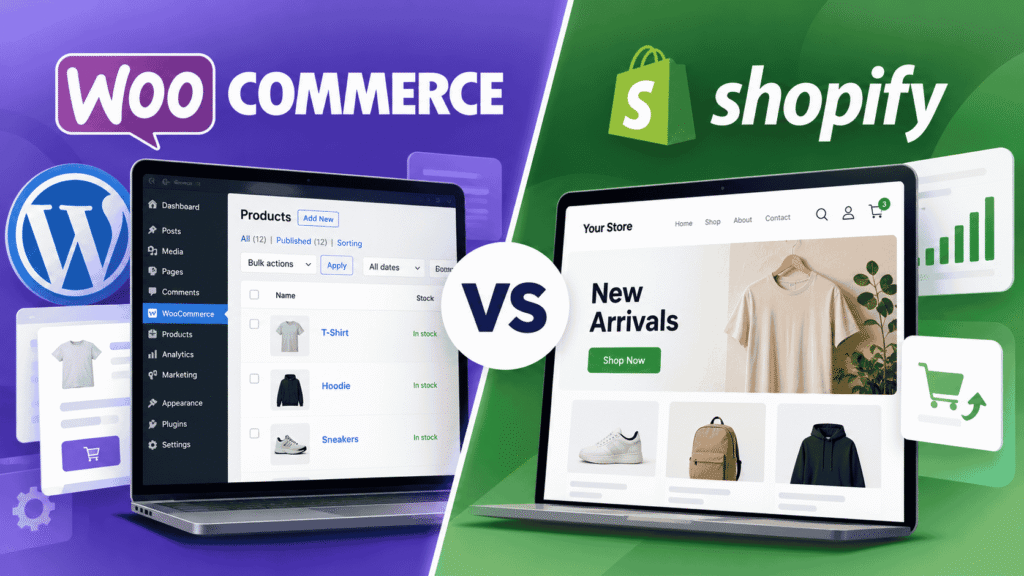
Choosing the right ecommerce platform can affect your store’s costs, flexibility, and day-to-day management. WooCommerce and Shopify can both help you sell products online, but they offer different approaches to building and running a business.
Whether you’re launching a small business, starting a digital product shop, or expanding an existing website, the right platform depends on your budget, technical comfort, payment requirements, and plans for growth.
This WooCommerce vs. Shopify comparison explains how the platforms differ in pricing, ease of use, customization, SEO, payments, and maintenance so you can make a more informed decision.
Quick Answer
WooCommerce is generally better for businesses that want more control over their WordPress website, hosting, and customizations. Shopify is often better for businesses that prefer an integrated, hosted ecommerce platform with fewer server-management tasks.
WooCommerce’s core plugin is free, but hosting, extensions, and maintenance may cost money. Shopify charges a subscription, with potential additional costs for apps and payment processing. Neither platform is automatically cheaper or better for every business.
Meet the Two Ecommerce Platforms
Before comparing their features, it helps to understand the basic difference between these two platforms.

WooCommerce
An open-source ecommerce plugin that adds online-store functionality to WordPress. You choose your hosting and can extend the store with compatible themes, plugins, and code.

Shopify
A hosted ecommerce platform that provides store infrastructure through a subscription. You manage products, design, settings, orders, and compatible apps through its platform.
WooCommerce vs. Shopify at a Glance
| Feature | WooCommerce | Shopify |
|---|---|---|
| Platform type | Open-source ecommerce plugin for WordPress | Hosted ecommerce platform |
| Hosting | Arrange compatible WordPress hosting | Hosting included with the subscription |
| Core platform cost | Core plugin available free; other costs apply | Paid subscription for a full online store |
| Customization | Themes, plugins, code, and hosting choices | Themes, apps, settings, and supported customizations |
| Maintenance | Manage or outsource WordPress maintenance | Shopify manages much of the hosting infrastructure |
| SEO | WordPress settings and optional SEO plugins | Built-in SEO features and editable SEO fields |
| Payments | Compatible gateways based on business location | Shopify Payments where eligible, or supported third-party providers |
| Best suited to | Businesses that value control and flexibility | Businesses that prefer a managed store setup |
What Is WooCommerce?
WooCommerce is an open-source ecommerce platform built for WordPress. It adds online-store functionality to a WordPress website, allowing you to manage products, orders, checkout, shipping, and other store features.
The core WooCommerce plugin is available without a separate license fee. However, running a store still involves costs such as hosting, a domain, optional paid extensions, payment processing, and professional support if needed.
If you want a more detailed introduction, read our guide: What Is WooCommerce? A Beginner’s Guide. It explains the platform, how it works, and what to consider before using it.
WooCommerce Advantages
- Greater control: Choose your hosting provider, WordPress theme, plugins, and supported custom code.
- Flexible store design: Customize your website around your brand and business processes.
- Extensible functionality: Add features through compatible plugins and extensions.
- Flexible hosting choices: Select a provider and plan that meets your store’s requirements.
- Content and commerce together: Publish product pages, blog posts, tutorials, and landing pages on the same website.
WooCommerce Disadvantages
- You must arrange hosting and a domain separately.
- WordPress, theme, and plugin updates need to be managed.
- Incompatible plugins or customizations can cause errors.
- Backups, security, and performance require attention.
- Some advanced features require paid extensions or development work.
WooCommerce gives you many choices, but those choices come with responsibility. If you prefer not to handle technical details, a managed WordPress host or a maintenance provider may help.
What Is Shopify?
Shopify is a hosted ecommerce platform that lets businesses create and operate online stores through a subscription service. Rather than setting up a separate WordPress hosting environment, you manage the store through Shopify’s platform.
Shopify provides tools for products, themes, checkout, orders, and store management. Additional capabilities may be available through your plan, built-in features, or third-party apps. Exact features and charges depend on your setup and location.
Shopify Advantages
- Managed hosting: You don’t need to maintain a separate web server for your storefront.
- Centralized store management: Manage core store functions through one platform.
- Built-in SEO foundations: Shopify provides features such as XML sitemaps, canonical tags, and SSL certificates.
- App ecosystem: Add functionality through compatible apps.
- Less server administration: Shopify manages much of the underlying hosting infrastructure.
Shopify Disadvantages
- A full online store requires a paid subscription.
- Paid apps and services can increase ongoing expenses.
- Custom functionality must fit the platform’s supported tools and rules.
- Payment processing and third-party transaction fees may apply.
- Your store depends on Shopify’s hosted platform and subscription structure.
Shopify reduces the need to manage hosting infrastructure, but you still need to maintain product information, app subscriptions, account security, store content, and checkout settings.
1. Pricing: Which Platform Costs Less?
There is no universal winner on price. WooCommerce’s core plugin is free, while Shopify charges a subscription for a full online store. But comparing only those two costs leaves out important expenses.
Potential Costs
- Domain registration and renewal
- WordPress hosting
- Premium theme, if needed
- Paid plugins or extensions
- Payment processing fees
- Backup, security, or performance services
- Developer or maintenance support
Potential Costs
- Monthly or annual subscription
- Domain registration, if purchased separately
- Paid apps
- Premium theme, if selected
- Payment processing fees
- Third-party transaction fees where applicable
- Design or specialist support
You may be able to start with a modest WooCommerce setup using suitable hosting and free extensions. A complex store may need paid services, custom development, or higher-capacity hosting.
Shopify publishes different plan prices and payment rates by market and billing arrangement. Check its official pricing page for current prices, billing options, and the terms that apply to your business.
Check Shopify’s official pricing → | Visit WooCommerce →
Compare the Total First-Year Cost
| Cost Category | WooCommerce | Shopify |
|---|---|---|
| Core platform | Core plugin available free | Subscription |
| Hosting | Separate cost | Included |
| Domain | Usually separate | May be separate |
| Add-ons | Optional extensions and services | Optional apps and services |
| Payment processing | Depends on provider | Depends on provider and plan |
| Maintenance | Your time or paid support | Your time, apps, and specialist support if needed |
2. Ease of Use: Which Is Better for Beginners?
WooCommerce
WooCommerce requires a WordPress website and compatible hosting. You need to configure your store, choose a theme, set up payments and shipping, and maintain the WordPress environment.
If you already use WordPress, WooCommerce may feel familiar. Good hosting, a suitable theme, and carefully selected plugins can make setup easier. Troubleshooting may still require knowledge of WordPress, plugins, or hosting settings.
Shopify
Shopify provides a more centralized setup. You create the store, configure products and settings, select a theme, and connect an eligible payment provider without installing WordPress or maintaining a separate server environment.
You still need to learn the dashboard, manage products, configure shipping and taxes, and test your checkout. A simpler technical setup does not remove the need to understand ecommerce operations.
3. Customization and Flexibility
WooCommerce: More Control Over Your Website
WooCommerce lets you combine WordPress themes, plugins, and custom code to build a store around your requirements. You can choose your hosting provider and control many aspects of the website environment.
This flexibility can be valuable for unusual product options, custom content layouts, integrations, or a website that combines ecommerce with a substantial blog or resource library.
The trade-off is that custom code and multiple extensions can increase maintenance and compatibility work. Choose plugins carefully and test important changes before applying them to a live store.
Shopify: A Managed Platform With Apps
Shopify supports theme customization, apps, and additional development within its platform. Many common ecommerce needs can be handled without maintaining a separate WordPress installation.
However, custom functionality must fit Shopify’s supported tools and platform rules. Before choosing Shopify for a complex store, confirm that your required integrations and workflows are supported by your plan or an available app.
4. SEO: Which Is Better for Google Rankings?
Neither platform automatically guarantees higher search rankings. Search visibility depends on content quality, search intent, site structure, technical accessibility, product information, links, and the experience you provide visitors.
WooCommerce SEO
WooCommerce SEO can involve WordPress settings, your theme, content structure, product and category pages, and an SEO plugin if you choose to use one.
You can manage and customize many parts of your website. This can be useful if your strategy involves publishing detailed guides, comparisons, tutorials, and other content alongside products.
You still need to configure the relevant settings correctly. Installing an SEO plugin does not mean every SEO task is automatically handled.
Shopify SEO
Shopify provides several technical SEO foundations, including canonical tags, an XML sitemap, and SSL certificates. It also lets merchants edit important SEO fields such as page titles, meta descriptions, URLs, and image alt text.
You still need useful product descriptions, clear navigation, relevant content, appropriate internal links, and a strategy for earning visibility. Built-in features do not guarantee rankings.
5. Payments: What Should You Check?
Payment availability can be more important than the website builder itself. A platform may support a payment method in general, but that does not guarantee it is available to every merchant or business location.
WooCommerce Payments
WooCommerce supports different payment methods through compatible gateways and extensions. Depending on your provider, you may be able to offer card payments, bank transfers, cash on delivery, or other options.
Your provider determines important details such as transaction fees, payout timing, eligibility, and supported currencies. WooPayments is one option, but it is not available to merchants in every country. Check the supported country list before choosing it.
Shopify Payments
Shopify Payments is available in eligible countries, and Shopify also supports third-party payment-provider integrations. If Shopify Payments is unavailable for your business location or type, investigate another supported provider.
When you use a third-party provider, Shopify may charge an additional third-party transaction fee, depending on your plan and setup. That fee is separate from the provider’s own processing charges. Check the current billing rules for your circumstances.
Payment Checklist Before You Commit
- Is your preferred payment provider available to businesses registered in your country?
- Can you receive payouts into your intended bank account?
- What are the transaction, currency-conversion, and international-card fees?
- Does the provider support the currencies and payment methods your customers expect?
- Does the platform add any separate transaction fees to your payment setup?
6. Maintenance, Security, and Performance
Running an online store involves more than creating product pages. You need to keep the store secure, maintain reliable checkout functionality, and make sure visitors can browse and purchase without unnecessary friction.
WooCommerce Maintenance
With WooCommerce, you or your service provider must look after the WordPress installation, themes, plugins, hosting, and backup strategy. Updates are important, but major changes should be tested because plugin or theme conflicts can affect the live website.
Your hosting plan, site configuration, images, extensions, and custom code can influence performance. You have more choices about how to improve the site, but more responsibility for managing those choices.
Shopify Maintenance
Shopify manages much of the underlying hosting infrastructure, reducing the need to administer a separate web server. You still need to maintain store content, review apps and subscriptions, protect account access, and test important changes to your theme and checkout.
Adding apps can introduce additional costs and operational complexity. A hosted platform does not eliminate every possible problem; it changes which parts of the system you manage.
7. Which Platform Is Best for Your Business?
| Your Situation | Suggested Starting Point | Why |
|---|---|---|
| You already have a WordPress website | WooCommerce | Adds ecommerce to your existing WordPress environment |
| You want more control over hosting and code | WooCommerce | Offers greater control over WordPress and hosting |
| You want a hosted store with fewer server-management tasks | Shopify | Hosting is included in the subscription |
| You want to focus on store operations instead of WordPress maintenance | Shopify | Provides a centralized, managed platform |
| You rely on detailed blog content and landing pages | Either | Both support content and ecommerce |
| Your checkout depends on a specific payment provider | Either, after verification | Confirm provider availability, eligibility, and fees first |
| You need highly customized store functionality | Compare both | Match your requirements against each platform’s capabilities |
These are starting recommendations, not universal rules. Shopify can support content marketing, and a well-maintained WooCommerce store can be straightforward to operate. Validate the requirements that matter most to your business before making a final decision.
WooCommerce vs. Shopify: Our Final Verdict
Choose WooCommerce if flexibility and control are your priorities.
It is a compelling option for businesses that want to build on WordPress, customize their website extensively, and choose their own hosting and extensions. The trade-off is greater responsibility for technical maintenance and the overall quality of the setup.
Choose Shopify if you prefer an integrated, hosted ecommerce platform.
It can be a practical choice for businesses that want to launch and manage a store without administering a separate WordPress hosting environment. The trade-off is a recurring subscription and possible additional expenses for apps and payment arrangements.
There is no single winner for every business. Estimate your first-year costs, verify payment support for your location, list the features your store needs, and consider how much technical work you want to manage yourself.
If you are still comparing options, start with the platform that best fits your current needs and budget—not the one with the longest feature list.
Planning to Build Your First Online Store?
Explore our WooCommerce resources for practical guides on setting up, managing, and improving a WordPress-powered online store.
Explore WooCommerce Guides →Frequently Asked Questions
Is WooCommerce cheaper than Shopify?
Not in every case. WooCommerce’s core plugin is free, but hosting, domain registration, extensions, payment processing, and maintenance can add costs. Shopify has a subscription fee, and apps or payment-related charges may increase the total. Compare the actual cost of the setup you intend to use.
Is Shopify easier to use than WooCommerce?
Shopify often requires fewer hosting and server-management decisions because it is a hosted platform. WooCommerce requires a WordPress environment and more configuration choices. Your experience will also depend on your technical skills, theme, hosting provider, and store requirements.
Which is better for SEO, WooCommerce or Shopify?
Neither platform guarantees better rankings. Both can support SEO through descriptive content, clear navigation, useful product pages, and technical optimization. Shopify provides certain technical SEO features automatically, while WooCommerce gives you substantial control through WordPress and compatible extensions.
Can I use WooCommerce without paying for the plugin?
Yes. The core WooCommerce plugin is available free of charge. However, you still need a WordPress website and suitable hosting, and you may incur costs for a domain, paid extensions, payment processing, or professional support.
Can I use Shopify with a third-party payment provider?
Yes, where the provider is supported for your store’s location and setup. Shopify may charge a separate third-party transaction fee in addition to the provider’s processing charges. Check the current Shopify billing rules and payment-provider availability before choosing a provider.
Can I switch from WooCommerce to Shopify later, or vice versa?
Migration is possible, but it requires planning. Products, customer records, order history, URLs, and other data may need to be exported, imported, or recreated. Before switching, create a backup, check what can be transferred, plan redirects for changed URLs, and test the new store before changing your live domain.
Which platform is better for a small business?
Either can work for a small business. WooCommerce may suit a business that values customization and is comfortable managing WordPress. Shopify may suit one that prefers a hosted platform and centralized store management. Your budget, payment provider, required features, and available technical support should guide the decision.
Sources and Further Reading
This comparison uses official platform documentation for product features, pricing structures, payment eligibility, and SEO capabilities. Pricing and availability may vary by country, plan, and billing arrangement. Check the relevant official documentation before making a purchase.
- WooCommerce Official Documentation
- WooCommerce Payments Documentation
- Shopify Official Pricing
- Shopify Pricing Plans and Billing Overview
- Shopify Payments Supported Countries
- Shopify SEO Overview
- Shopify Sitemap Guidance
- Fit Small Business: WooCommerce vs. Shopify
Editorial note: This article compares documented platform features and common trade-offs. It does not claim that The Blue Anchors has independently tested identical stores on both platforms. Pricing, payment eligibility, and available features should be verified for the reader’s market and setup.