Want to sell products online without being locked into a complicated e-commerce platform? WooCommerce could be the solution you’ve been looking for.
Whether you’re starting a small business, launching a digital product shop, or expanding an existing website, WooCommerce lets you turn a WordPress website into an online store where customers can browse products, place orders, and pay for purchases.
This WooCommerce Beginner’s Guide explains what WooCommerce is, how it works, what it costs, and how to set up your first online store.
Quick Answer
WooCommerce is a free, open-source e-commerce plugin for WordPress. It allows you to sell physical products, digital downloads, and other offerings through your website.
- Free core plugin: The main WooCommerce plugin is free to use.
- Flexible: Sell physical goods, digital products, and more.
- Store management: Manage products, orders, and inventory from WordPress.
- Additional costs: Hosting, domains, payment processing, and optional extensions may cost extra.
WooCommerce is a strong option for people who want control over their online store and are comfortable managing a WordPress website.
What Is WooCommerce?
WooCommerce is a free, open-source e-commerce plugin for WordPress. It adds online shopping functionality to a WordPress website, allowing you to sell products and manage your store from your website dashboard.
Instead of building an online store from scratch, you can install WooCommerce on a compatible WordPress website and configure it to suit your business.
With WooCommerce, you can:
- Display products with images, descriptions, and prices.
- Organize products into categories and variations.
- Accept payments through supported payment methods.
- Manage customer orders and inventory.
- Configure shipping options and tax settings.
- Offer coupons, discounts, and promotional deals.
- Extend your store with additional plugins and integrations.
WooCommerce supports different business models, from small online shops to more complex e-commerce operations. Its open-source foundation also gives developers considerable freedom to customize the shopping experience.
How Does WooCommerce Work?
WooCommerce works alongside WordPress, the content management system used to build and manage websites.
Think of WordPress as the foundation of your website and WooCommerce as the component that adds shopping functionality.
- Build your website. Set up WordPress with a hosting provider and domain name.
- Install WooCommerce. Add the plugin to your WordPress dashboard and activate it.
- Add your products. Upload product images, write descriptions, set prices, and configure inventory.
- Configure your store. Set up payment methods, shipping, taxes, and store policies.
- Customize the design. Choose a compatible theme and arrange your homepage, product pages, and navigation.
- Launch your store. Test the checkout process, verify your settings, and make the store available to customers.
- Manage your business. Process orders, update inventory, respond to customers, and monitor sales.
Customers can then browse your products, add items to their shopping carts, and complete purchases through the checkout process you’ve configured.
What Can You Sell With WooCommerce?
One of WooCommerce’s biggest advantages is its flexibility. You aren’t limited to selling one particular type of product.
1. Physical Products
Sell items that need to be packaged and delivered to customers, including clothing, skincare products, accessories, home decor, electronics, and handmade goods.
2. Digital Products
Sell downloadable products without managing physical inventory. Examples include e-books, printable worksheets, templates, digital artwork, stock graphics, and educational resources.
3. Variable Products
Offer products with different options, such as sizes, colors, materials, or styles. A clothing store can list a T-shirt with multiple sizes and colors under one product listing.
4. Subscription Products
With suitable extensions and integrations, you can offer recurring payments for memberships, premium content, subscription boxes, or ongoing services.
5. Services and Appointments
WooCommerce can support service-based businesses through compatible booking and scheduling extensions. Examples include consultations, classes, workshops, and professional services.
Is WooCommerce Free?
Yes. The core WooCommerce plugin is free to download and use. However, running a complete online store can involve additional expenses.
| Expense | Is It Required? |
|---|---|
| WooCommerce core plugin | Free |
| WordPress hosting | Yes, for a self-hosted store |
| Domain name | Usually, for a professional website |
| SSL/HTTPS | Essential; often included with hosting |
| Premium theme | Optional |
| Paid plugins and extensions | Optional, depending on your needs |
| Payment processing fees | Usually applicable to online payment providers |
| Website maintenance | Optional to outsource; ongoing maintenance is important |
Free software does not mean a completely free online store. Calculate your hosting, domain, payment processing, extensions, maintenance, and other operating costs before launching.
You can start with the core plugin and add paid functionality only when your business needs it. The actual cost depends on your hosting provider, design requirements, business location, payment provider, and desired features.
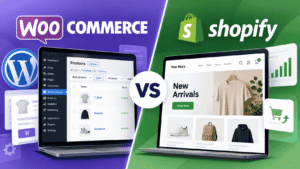
WooCommerce vs. Shopify: What’s the Difference?
WooCommerce and Shopify are popular options for building online stores, but they work differently.
WooCommerce is an open-source e-commerce plugin built for WordPress. Shopify is a hosted e-commerce platform that provides hosting and store management tools through its subscription service.
| Feature | WooCommerce | Shopify |
|---|---|---|
| Core software | Free plugin | Paid subscription plans |
| Hosting | Arrange hosting for a self-hosted site | Hosting included |
| Customization | Extensive WordPress flexibility | Themes, apps, and supported customization |
| Maintenance | You manage or outsource site maintenance | Underlying infrastructure largely managed |
| Extensions | Free and paid plugins | Free and paid apps |
| Content publishing | WordPress blogging tools | Built-in content features |
| Technical responsibility | Generally greater | Generally lower for infrastructure |
When Should You Choose WooCommerce?
- You want greater control over your website and hosting environment.
- You want to combine blogging, SEO content, and online selling.
- You need extensive customization options.
- You are comfortable managing WordPress or hiring someone to maintain it.
When Should You Choose Shopify?
- You prefer a managed e-commerce platform.
- You want less responsibility for server and hosting maintenance.
- You prefer managing your store through one hosted service.
Neither platform is automatically better for every business. Compare total costs, payment fees, apps, hosting, and maintenance before deciding.
What Do You Need to Start a WooCommerce Store?
Prepare these essentials before installing WooCommerce.
1. A WordPress Website
WooCommerce requires WordPress. If you don’t have a website yet, choose a hosting provider and install WordPress.
2. A Domain Name
Your domain is your store’s web address. Choose a name that is memorable, relevant to your business, and easy for customers to recognize.
3. Web Hosting
Your hosting provider stores your website files and database and makes your website accessible online. Choose a plan that meets WordPress and WooCommerce requirements and can support your expected traffic.
4. Product Information
Prepare product names, descriptions, prices, images, categories, and inventory details. For digital products, prepare the files customers will receive after purchasing.
5. Payment and Shipping Plans
Decide how customers will pay and, if you sell physical products, how orders will be delivered. Available payment providers vary by country, while shipping options depend on your delivery arrangements.
6. Store Policies
Prepare appropriate policies for privacy, returns and refunds, shipping, and terms of service. Make sure they reflect the laws and requirements that apply to your business and customers.
Before you launch, check that you have:
- WordPress installed and working
- A connected domain and HTTPS enabled
- Hosting suitable for your store
- Product images and descriptions prepared
- Payment methods selected
- Shipping and tax requirements reviewed
- Store policies and backup arrangements prepared
How to Set Up WooCommerce Step by Step
If you already have a WordPress website, you can begin setting up your store directly from the WordPress dashboard.
Step 1: Install WooCommerce
- Go to Plugins → Add New Plugin.
- Search for WooCommerce.
- Select the official WooCommerce plugin.
- Click Install Now.
- Click Activate.
After activation, WooCommerce provides an onboarding wizard to help you configure your store.
Step 2: Enter Your Store Details
Provide your store information, including its location, business details, product types, and store email address. Review recommended features carefully because some additional services are optional.
Step 3: Add Your First Product
Go to the Products section in your WordPress dashboard and add a product. Enter its name, description, price, and images. Configure the appropriate product type and inventory settings.
If you’re selling digital products, enable the relevant downloadable or virtual product settings.
Step 4: Configure Payments
Open WooCommerce → Settings → Payments. Review the payment methods available for your store’s country and business requirements.
Depending on your location, you may be able to offer card payments, digital wallets, bank transfers, cash on delivery, or other supported methods. Complete any required account verification and test the checkout experience.
Step 5: Configure Shipping and Taxes
For physical products, configure shipping zones and delivery methods that match the locations you serve. Review tax requirements for your business and customer locations.
Tax rules vary by jurisdiction, so seek qualified advice when necessary. Digital products may have simpler shipping requirements, but tax obligations can still apply.
Step 6: Customize Your Store
Choose a compatible WordPress theme and customize your store’s appearance. Focus on clear navigation, readable text, useful product images, transparent pricing, and a checkout process that works well on mobile devices.
You can also use a page builder, such as Elementor, for supported design tasks.
Step 7: Test Before Launching
Before accepting real orders, test the complete shopping experience. Check product pages, cart functionality, checkout fields, payment behavior, shipping rates, confirmation emails, and order management.
Make sure your website uses HTTPS and that your backup and security arrangements are in place. Once everything works as expected, launch your store and begin promoting your products.
Pros and Cons of WooCommerce
Like any e-commerce platform, WooCommerce has advantages and limitations.
Advantages of WooCommerce
- Flexible customization: Adapt your store’s appearance and functionality to your business.
- No core plugin license fee: Start with the free WooCommerce plugin.
- Content and commerce together: Use WordPress for articles, guides, landing pages, and product listings.
- Multiple product types: Sell physical products, digital downloads, and other offerings with suitable extensions.
- Expandable functionality: Add integrations and features as your business grows.
- Greater control: Manage your website and hosting environment with a self-hosted installation.
Disadvantages of WooCommerce
- Hosting is your responsibility: You must select and maintain suitable hosting for a self-hosted store.
- Maintenance takes time: WordPress, themes, plugins, backups, and security need ongoing attention.
- Costs can increase: Premium themes, extensions, payment processing, and support can add up.
- Compatibility matters: Poorly maintained or conflicting plugins can cause errors.
- Learning curve: Beginners may need time to understand settings, integrations, and troubleshooting.
WooCommerce is particularly attractive if you value flexibility and are willing to learn or outsource website management.
Is WooCommerce Good for Beginners?
Yes. WooCommerce can be a good starting point for beginners, particularly those who want to build their store with WordPress.
The setup wizard helps with initial configuration, and you can begin with a small product catalog before expanding your store.
However, beginners should be prepared to learn the basics of hosting, website security, product management, payment configuration, and maintenance.
If you want the simplest possible managed experience, compare WooCommerce with hosted alternatives before deciding.
Frequently Asked Questions
Is WooCommerce better than WordPress?
They serve different purposes. WordPress is the website platform, while WooCommerce adds e-commerce functionality. You can use WordPress without WooCommerce, but WooCommerce depends on WordPress for a standard installation.
Do I need coding skills to use WooCommerce?
No. You can create a basic store through the WordPress dashboard without writing code. Advanced customization, complex integrations, or troubleshooting may require technical skills or professional assistance.
Can I use WooCommerce to sell digital downloads?
Yes. WooCommerce supports downloadable products, including digital files. You can configure products so customers can access their downloads after purchasing, subject to your store settings and any additional extensions.
Can I use WooCommerce without a physical store?
Yes. You can operate an online-only business selling digital products, subscriptions, or services. You don’t need a physical retail location, although your business may still have legal, tax, and operational obligations.
Does WooCommerce charge a commission on every sale?
The core WooCommerce plugin does not charge its own platform transaction commission. However, your payment provider may charge processing fees, and additional services or extensions may have their own costs.
Is WooCommerce secure?
WooCommerce can be part of a secure online store, but security depends on your entire setup. Use HTTPS, strong passwords, trusted extensions, regular updates, reliable backups, and secure payment integrations.
Can WooCommerce handle an international online store?
Yes, with appropriate configuration and compatible payment, shipping, currency, and tax solutions. Confirm that your selected providers support your business location and target markets before launch.
Final Thoughts
WooCommerce is a flexible option for building an online store with WordPress. It supports a wide range of products and business models while giving store owners control over their website and the ability to expand functionality as needed.
The core plugin is free, but you’ll still need to account for hosting, your domain, payment processing, and any additional features your business requires.
If you’re planning to launch an online store, start with the essentials, test your checkout carefully, and add more advanced features as your business grows.
Ready to Get Started With WooCommerce?
Explore the official documentation for setup instructions, product management, store configuration, and troubleshooting.
Explore Official WooCommerce Guides →Recommended Next Reads
Continue learning with these related website and e-commerce guides.
This guide is for general educational purposes. Pricing, supported payment providers, available extensions, and legal requirements may change. Confirm current details with the relevant provider before making business decisions.